
How can we help?

The Portal is the part of Loop that holds your account with PearlFibers: your projects, your web hosting, email plans and domain names, and any service made to order for you, such as a website. This guide is a map of it: what each page is for and what it shows. In this guide "contact support" means: on the home screen click the tile Help, then Submit a Ticket.
Where to find it
- On the home screen, click the tile Portal. The first page opens: a greeting with the date under it, then four boxes, the first of them Active Projects.
- To go to another page of the Portal, open its side menu (see the next part) and click an entry.
- To return to the home screen, click the Loop logo at the top of the page.
The side menu
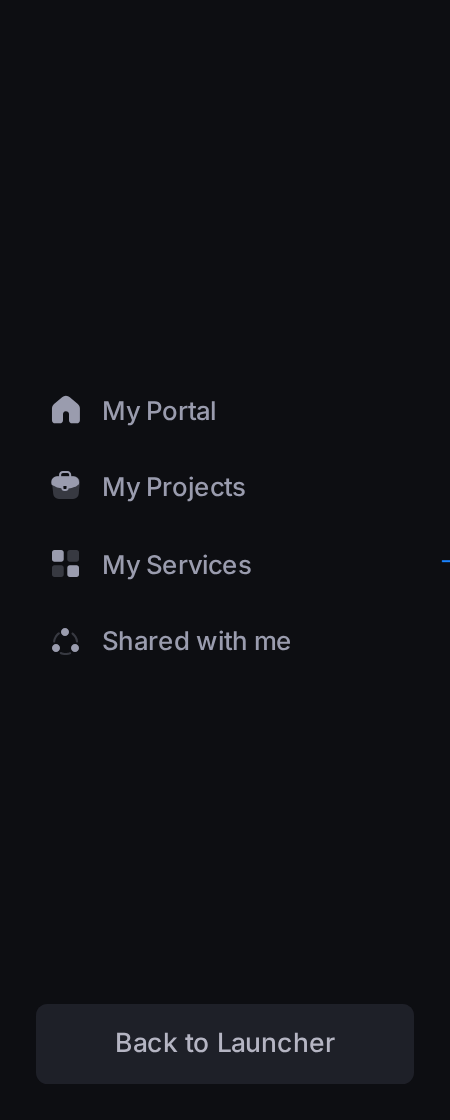
Every Portal page has the same menu of four entries, in this order: My Portal, My Projects, My Services and Shared with me.
- On a computer it is a narrow dark bar of icons. Rest the pointer on it: it widens and shows the four names and, at its foot, the button Back to Launcher, which also leads to the home screen. When the pointer leaves, it narrows again. To keep it open, click the small square button with an arrow on its edge; the same button closes it. Each page opens with the menu narrow.
- On a phone the menu is not on the screen. Tap the first button of the top bar, which shows four small squares: the menu slides in over the page with the same names and Back to Launcher. To close it without choosing, tap the dimmed page beside it.
My Portal: your account in a few numbers
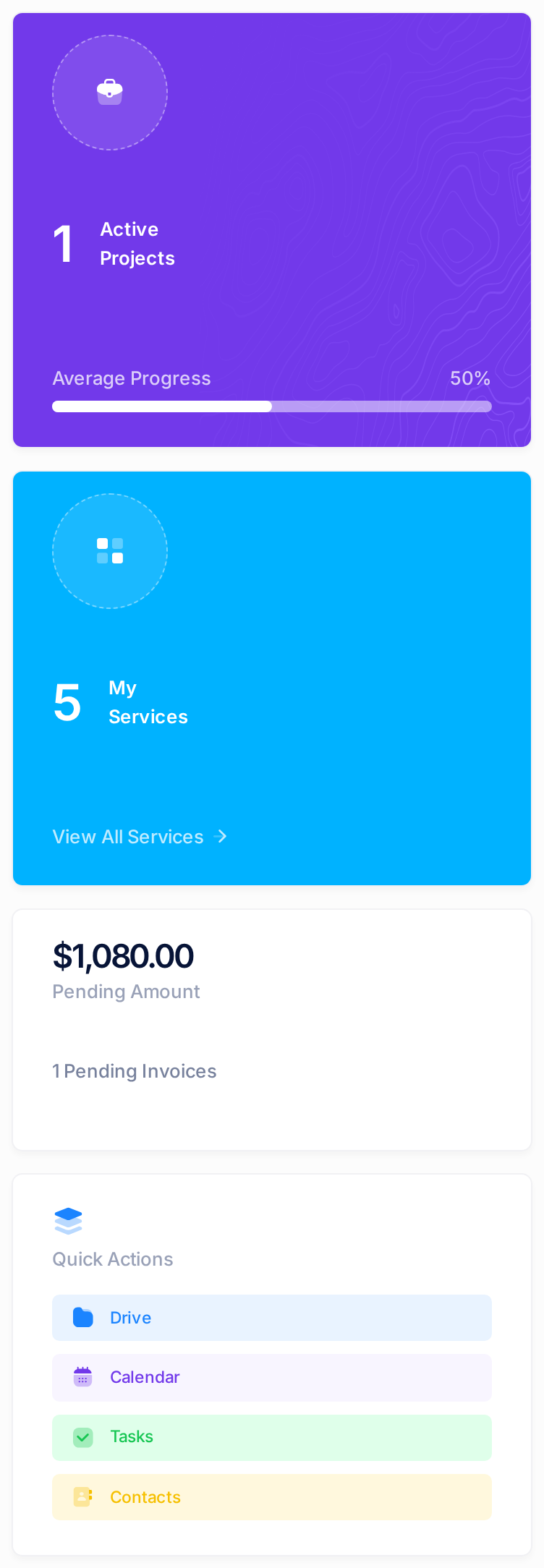
Under the greeting are four boxes:
- Active Projects — how many of your projects have the status Active, with their Average Progress.
- My Services — a count of your services. View All Services opens the page My Services.
- Pending Amount — the sum still unpaid on the invoices sent to you; with nothing unpaid it reads All Paid Up.
- Quick Actions — buttons that open four other apps: Drive, Calendar, Tasks and Contacts.
Below the boxes are cards:
- Recent Projects — your five newest projects with their status and progress. Click a title to open the project, or View All for My Projects. With no project the card reads No projects yet.
- My Services — only services made to order for you. With no such service it reads No services yet, even when you have hosting, email or domains.
- Overview — counts of your projects, and Pending Services.
A service made to order can still read Pending on this page after it has become Active: for its status, trust its row on the tab Services of the page My Services.
Contact Us at the top of this page and Start Chat at its foot open a panel headed Messages: Loop's chat, which is for writing to another person. Opening it sends nothing to PearlFibers; nor do Inquire and Contact Support on other Portal pages. To reach PearlFibers, contact support.
My Projects
This page lists every project you have with PearlFibers, whatever its status, newest first. Each is a card with a status badge (a small label that names its state), the title, a line of text, the Due Date, the Budget and a progress bar. With no project the page reads No Projects Yet.
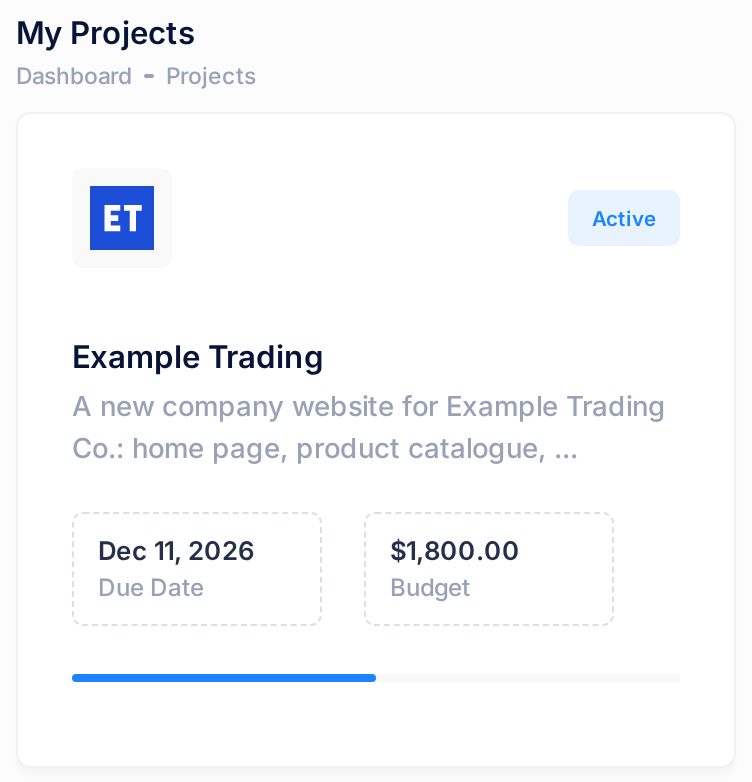
The whole card is a link. Click it and the project opens on its own page, Project Details, with seven tabs, from Overview to Activity.
My Services
This page lists your services on five tabs. The number beside a tab's name is how many entries it lists; a tab with nothing to list has no number and says so, for example No hosting accounts.
| Tab | What you find there |
|---|---|
| Overview | Four cards — Hosting Accounts, Email Plans, Domains, Services — each with how many you have; click a card to open its tab. Under them, Available Services is PearlFibers' catalogue: what PearlFibers offers, not what you have. |
| Hosting | One card for each hosting account: the website's domain name, the plan's name and a status badge. |
| Email Plans | One card for each email plan: the domain name, the plan's name and a status badge. |
| Domains | One card for each domain, with a status badge. |
| Services | A table of the services made to order for you, one row each, with its status and amount. |
Shared with me
This page, headed Services shared with me, lists services that someone else owns and has shared with you. Until someone shares one, it shows one card that reads No services shared with you yet, which is what you will normally see.
Where to find what
| What you want | Where it is |
|---|---|
| One hosting account, email plan or domain | My Services, its tab, then Manage on its card. |
| One service made to order | My Services, the tab Services, then Details in its row. |
| The invoice of a project | The project's page, the tab Budget & Payments, then View Invoice, which is there once PearlFibers has issued the invoice. |
| Your subscriptions and their invoices | Not in the Portal: on the home screen, the tile Billing. |
Manage opens the page of that one service, which can have a different side menu; your browser's Back button brings you back to My Services.
Common questions
Can I order, renew or cancel a service in the Portal?
No. Nothing you can press on the first page or on My Services creates an order, a request, an invoice or a charge, and no button there renews or cancels a service. To ask for something new, contact support.
Does the Portal look the same on a phone?
The same pages, rearranged: on the first page the boxes and cards stand one under the other, and the wide tables, such as Recent Projects, slide sideways.
If something looks wrong
- On a computer, the first letter of a page's heading is hidden. The side menu's arrow button can lie over it. Nothing is missing.
- The box My Services shows a smaller number than the page My Services. The box counts only what is Active or Pending; the page also lists what is Suspended or Expired.
- Something you use is not listed. Cancelled hosting accounts, email plans and domains are not shown on My Services. If something you still have is missing, contact support.
Where to go next
- "Read Your Services at a Glance" — every number, card and badge of the first page and of My Services.
- "Follow Your Project", "Understand Milestones and Deliverables" and "View and Download Your Project Invoice" — the project page.
- "View and Understand Your Domains" and "A Tour of Your Email Plan" — what Manage opens for a domain and for an email plan.
- "Understand Your Subscriptions" — the tile Billing.
- "Find Your Way Around the Home Screen" — the tiles and the way back.
Cannot find something? Contact support and say which page you were on. The guide "Open and Follow a Support Ticket" shows how.